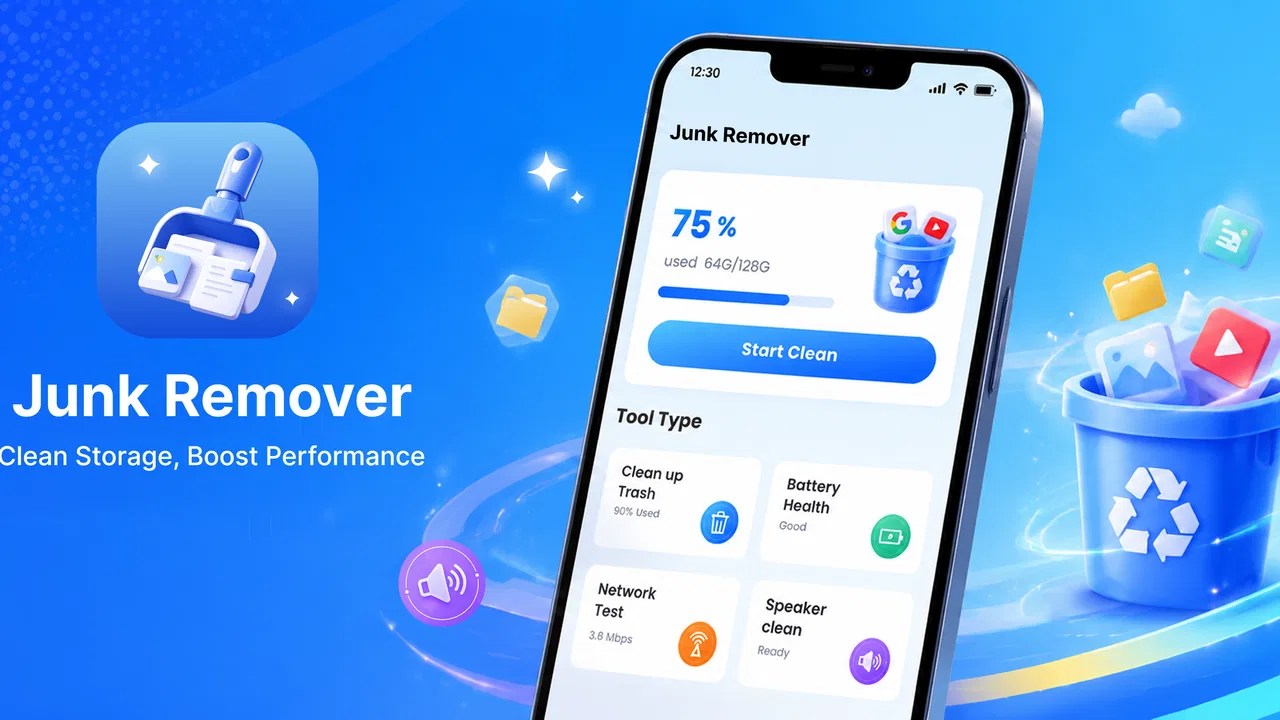
JunkRemover
- 3.9
- Rating
- 100.00K
- Installs
- Free
- Price

 Analysis by App-foxy
I approached JunkRemover as a practical phone-maintenance tool rather than something I would open for entertainment. Its central promise is simple: help remove unwanted phone clutter with a single action. That simplicity is appealing when storage is getting tight or a device feels difficult to manage, but it also means the app has to make every step understandable. In my experience, a cleanup tool is useful only when I can tell what it is about to remove, what it has already handled, and whether I still need to check anything myself.
This is a free Android app from QFD CONSULTANTNS ( PRIVATE ) LIMITED, placed in the tools category and suitable for everyone. The current release is version 1.0.5, and it works on Android 9 or later. Its public reception is encouraging without being overwhelming: it has a 4.0 average from around 300 ratings and has passed 100K installs. Those figures suggest that people are trying it for a straightforward job, but they do not replace personal judgment about what should stay on a phone.
How JunkRemover feels to use in everyday cleanup
I focus on the small decision that makes a one-action cleanup useful: choosing a calm moment to review what the phone says before starting. That habit can help distinguish routine maintenance from a genuine storage problem, so the next section looks at how I would fit the app into a practical cleanup workflow.
You May Also Like

 Blood Strike: 2.5 Anniversary
Blood Strike’s Loadouts Turn Every Drop Into a Tactical Gamble
A close look at Blood Strike’s custom loadouts: how fast access to signature weapons reshapes its battle royale rhythm, rewards preparation, and narrows the gap between fights.

 Pandora - Music & Podcasts
Pandora’s Music Is Easy to Start, but Harder to Recover
Pandora’s strength is its low-effort path from a seed to a station. Its weak spot is how much confidence it asks you to place in connection, setup, and quiet recovery.

 8 Ball Pool
 Is Built on Rivalries, Rematches, and Routine
A close look at the rivalries, rematches, shared routines, and unanswered safety questions that turn a quick pool match into a persistent mobile community.

 Samsung Music
’s Quiet Strength Is Playing What You Already Own
Its reach comes less from spectacle than from dependable access to a personal library. That simplicity is both the app’s strongest retention engine and its ceiling.

 AccuWeather: Weather Radar
AccuWeather Review: A Quick, Clear Forecast for Everyday Decisions
For everyday plans, the best forecast is the one you can understand quickly. AccuWeather makes rain timing, radar, and local conditions easy to act on, with a few trade-offs.

 Hill Climb Racing
Why Hill Climb Racing Still Turns Crashes Into One More Run
A tiny car, a bumpy hill and one more upgrade: Hill Climb Racing keeps resurfacing because its simple chaos makes every near-miss feel personal.
More From Our News Desk



Readability and navigation come before speed
The most important quality in this kind of app is not a long list of advanced controls. It is whether I can understand the screen without having to study it. JunkRemover’s one-click approach is naturally less intimidating than a storage manager filled with technical labels. Someone who does not know the difference between temporary files, cached material, and personal documents can still approach the main task without feeling that a mistake is inevitable.
That simplicity can be especially helpful for people who are new to Android maintenance. A family member who normally avoids settings menus may be more willing to use a clearly focused cleanup tool than the phone’s built-in storage page. The short name and direct purpose also make it easier to remember what the app is for. I would still pause before confirming any cleanup, because a fast interface should not encourage automatic decisions about personal files.
Navigation matters even more when a phone is busy, older, or already under storage pressure. A user may be opening the app because photos are not saving, updates are failing, or the device is responding slowly. In that moment, a crowded interface adds stress. JunkRemover is best understood as a focused first step: open it, inspect the cleanup result, and then decide whether the problem has actually improved.
One useful habit is to use the app before an urgent situation rather than waiting until the phone refuses to install an update. I would run a cleanup after reviewing recent downloads and large media in the phone’s normal file tools. That order creates a safer boundary: JunkRemover handles the type of clutter it identifies, while I personally decide what happens to items that carry memories, work documents, or offline content.
Who benefits from the one-action design
The clearest audience is someone who wants less technical friction. If you regularly forget to check temporary clutter, or if Android’s storage screens feel too detailed, the app’s narrow purpose may be reassuring. It can also suit a shared household phone where several people use the device but nobody wants to become its unofficial administrator.
There is a practical advantage for users who have limited time or attention. A complicated cleanup routine can be abandoned halfway through, while a focused tool is easier to fit between other tasks. The app may also be useful for a person helping a relative remotely: instead of explaining several system menus, you can describe a single maintenance action and then ask what the result says on screen.
That does not mean the one-click model is ideal for everyone. I would not choose it as my only storage-management method if I needed detailed control over folders, duplicate media, large videos, or application-by-application usage. In those cases, Android’s built-in storage view or a full file manager is more informative. JunkRemover is more appealing when convenience matters more than forensic detail.
Motor and sensory considerations
A short interaction can reduce the physical effort required to maintain a phone. Fewer screens and fewer controls generally mean fewer taps, less scrolling, and less precision needed to reach the main task. That can help users who find repeated gestures tiring or who have difficulty maintaining an exact touch position for long periods.
However, a simple action still needs a clear confirmation stage. A person with reduced fine-motor control may accidentally touch the wrong part of a screen, especially if important controls sit close together. I would prefer to see a plainly separated action and a readable explanation of its effect before proceeding. Since cleanup can affect the way a phone behaves, speed should never come at the cost of confidence.
For users with low vision, readability is more than large text. Contrast, spacing, wording, and the ability to understand a result without relying on color all matter. I would judge JunkRemover by whether its labels remain understandable when the phone’s display is enlarged or when the user increases system text size. The app’s focused purpose gives it a good starting point, but a narrow function does not automatically guarantee comfortable access.
People with hearing loss are unlikely to need audio guidance for the basic cleanup task, which is a positive aspect of a visually organized utility. At the same time, any important completion message should be available as visible text rather than depending on a sound or vibration. Users in quiet environments, noisy places, or situations where they keep their phone muted should be able to tell what happened from the screen alone.
For users with cognitive or attention-related needs, predictable wording is valuable. I would use the app in a calm sequence: check the initial screen, read the cleanup explanation, start only when the phone is not being used for something urgent, and review the outcome afterward. That routine reduces the chance of tapping through a process without understanding it. The app works best as a deliberate shortcut, not as a button to press automatically whenever the phone feels slow.
Situational access: where the app fits best
A realistic example is a phone used for travel. Before leaving, I might remove accumulated clutter so there is less chance of running out of space while taking photos or downloading a boarding pass. In that situation, the tool is valuable because it offers a quick maintenance check without asking me to reorganize the entire device. I would still avoid running a cleanup while navigating, recording an important video, or waiting for a critical download.
Another case is a budget-conscious household phone with limited free space. When several people share one device, storage can become confusing: one person downloads files, another saves images, and a third installs applications. A quick cleanup tool can make routine maintenance less dependent on the person who originally configured the phone. The limitation is that it cannot replace a conversation about what should be deleted, especially when the phone contains content belonging to different users.
JunkRemover can also be useful after a period of heavy browsing or repeated app use, when temporary material has accumulated. I would treat that as a maintenance moment rather than a guaranteed performance cure. If the real problem is a failing battery, an aging device, a badly behaved application, or insufficient space caused by personal media, cleaning junk will not solve the underlying issue.
Situational access also includes the environment around the phone. A user may have only one hand available, may be wearing gloves, or may be working under bright sunlight. A focused interface is easier to approach than a deeply nested settings route, but touch accuracy and screen visibility still depend on the device itself. I would not assume that a one-click process is equally comfortable in every physical setting.
What it offers compared with usual alternatives
Android already provides storage-management tools, and those are the stronger choice when I want to see exactly which applications, folders, or media types occupy space. A file manager is better when I need to rename, move, archive, or selectively delete files. Those options take more attention, but they provide a clearer audit trail and finer control.
JunkRemover’s advantage is the opposite: it is approachable for a quick cleanup without requiring me to understand the entire storage structure. That makes it a reasonable companion to the system tools rather than a complete replacement for them. I would use the built-in tools for investigation and the app for a simpler routine, provided the cleanup screen gives me enough information to make a responsible decision.
I would be cautious about comparing it with aggressive “boosting” utilities that promise to fix every performance problem. Removing clutter can be helpful, but it cannot turn limited hardware into a newer phone. A tool that encourages constant cleaning may also create unnecessary worry. My preferred workflow is occasional, targeted maintenance: identify a storage problem, inspect what is taking space, use JunkRemover where appropriate, and then check whether the practical problem has changed.
Remaining barriers and points of friction
The main barrier is the tension between convenience and control. One action is friendly, but it can hide important distinctions if the result is not explained clearly. A user should not have to guess whether the app is dealing with temporary material, leftover files, or something they may want later. I would always read the result before confirming and would keep irreplaceable photos and documents backed up independently.
Another limitation is that a cleanup app cannot understand the personal value of a file. A downloaded map may look unnecessary after a trip, yet it could still be useful on a later journey. A large video may appear disposable while actually being needed for work. This is why I would not hand the entire decision to any automatic cleaner, including this one.
Users who depend on assistive technology should also test the real interaction on their own device. The app is suitable for everyone in its age classification, but that classification is about content, not a promise that every accessibility need is covered. Text scaling, screen readers, touch alternatives, contrast preferences, and device-level accessibility settings can change the experience. If a user cannot comfortably identify the action and its result, the phone’s native storage tools may be the safer option.
There is also a trust barrier for people who are careful about phone maintenance. Before using a third-party tool, I would check the screen wording, avoid rushing through prompts, and confirm that the app behaves as expected after cleanup. I would not install it on the assumption that every performance complaint is caused by junk. The app is most credible in a narrow role: helping with a quick cleanup task, not diagnosing the whole phone.
Who should use it, and who should skip it
I would recommend giving JunkRemover a try if you use Android 9 or newer, want a free tool, and prefer a short, approachable cleanup process. It is particularly suitable for occasional maintenance, for people who find detailed storage menus overwhelming, and for families or shared-device situations where a simple routine is easier to follow.
I would skip it as a primary solution if you need folder-level control, a detailed record of every deletion, or a way to manage large personal files carefully. Power users will probably get more value from Android’s storage settings and a capable file manager. I would also avoid relying on it to fix crashes, battery drain, slow hardware, network problems, or application bugs, because those issues require different troubleshooting.
Before the first cleanup, I would make sure important photos, messages, documents, and offline files are already protected. I would run the tool when I have time to review the outcome, not during an urgent task. Afterward, I would check whether the original issue—such as a failed download or a storage warning—has actually improved. That simple check prevents the common mistake of treating the action itself as proof that the problem is solved.
An inclusive verdict for a focused utility
JunkRemover is appealing because it does not ask the user to become an Android technician. Its free access, everyone-friendly content rating, focused tools category, and one-action concept make it approachable for ordinary phone maintenance. The 4.0 average and 100K-plus installs show that it has found an audience, while the relatively modest amount of public feedback means I would still form my own view through careful use rather than treating popularity as a guarantee.
My recommendation is conditional but positive: use it as a convenient first pass, not as an unquestioned replacement for system storage controls. Its strongest inclusive quality is the reduction of navigation and decision fatigue. Its biggest weakness is the unavoidable risk that a fast cleanup can feel more certain than it really is. Clear reading, cautious confirmation, and a backup habit make the difference.
For me, the app earns a place on a phone when the goal is occasional, low-effort housekeeping. It is not the right answer for detailed file organization or serious troubleshooting, and users with specific accessibility needs should confirm that the interface works comfortably with their device settings. Within its narrow purpose, though, the best way to use JunkRemover is as a simple, supervised shortcut rather than a magic performance button.
FAQs for JunkRemover
01What is JunkRemover and what does it do?
JunkRemover is designed to help users identify and remove unnecessary files that may occupy storage space on an Android or iOS device. Depending on the version and platform, it may scan temporary files, cached data, duplicate items, large files, unused downloads, and similar clutter. It is intended as a storage-management utility, not a replacement for a full security or backup solution.
02Is JunkRemover safe to use on my phone?
JunkRemover can generally be used safely when its scan results are reviewed before cleaning, but users should still pay attention to the permissions requested and the files selected for deletion. Important photos, videos, documents, or app data may be difficult to recover after removal. Before running a deep cleanup, it is recommended to back up valuable content and use the app’s preview, exclusion, or restore options whenever they are available.
03Can JunkRemover really improve device performance?
JunkRemover may make a noticeable difference when your device is nearly full or contains a large amount of temporary data, abandoned downloads, and duplicate files. Freeing storage can help reduce warnings and make everyday use feel smoother. However, it cannot solve every performance problem. Slowdowns caused by an aging battery, outdated software, limited memory, background apps, or hardware issues will usually require additional troubleshooting.
04Does JunkRemover delete personal files or uninstall applications?
The answer depends on the cleanup categories enabled in your version of JunkRemover. Basic scans commonly focus on temporary files, cache data, duplicate content, and other removable clutter, while broader tools may identify large personal files or unused applications. Review every category carefully before confirming deletion. Do not assume that a file is safe to remove simply because the app labels it as unnecessary.
05Is JunkRemover free, and does it require any special permissions?
JunkRemover may offer free cleaning features while reserving advanced tools, unlimited scans, or an ad-free experience for a paid plan, depending on the current release and platform. Storage-management apps normally need permission to access files, photos, or device storage so they can analyze content. Check the store listing, subscription terms, privacy policy, and permission prompts before downloading or starting a trial.
Pros
- Quickly identifies large
- duplicate
- and unnecessary files.
- Simple interface makes storage cleanup easy for beginners.
- Helps free space without requiring advanced technical knowledge.
- Useful file categories make unwanted content easier to review.
- Can improve device organization by removing forgotten downloads.
Cons
- Some detected files may require careful review before deletion.
- Cleaning results can vary depending on device and Android version.
- Advanced features may be limited or require in-app purchases.
- Scanning large storage libraries may take noticeable time.
- Privacy permissions should be checked before granting full file access.

JunkRemover
Gallery